![g-logo2.png]](https://support.powerednow.com/hs-fs/hubfs/g-logo2.png?height=50&name=g-logo2.png)
For this, hop into your Settings (cog top right of the home page) and then into Document Layouts & Logos.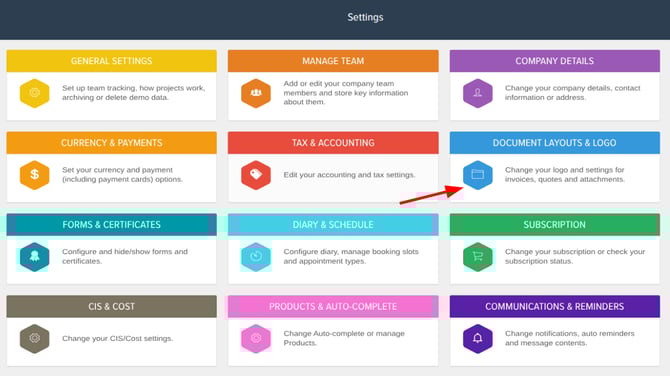
In there click the Edit Layout and Logo button and that will take you to the section where you can select the template you'd like to use for your quotes and invoices. Once you select the template you'd like to use, click on the Paint Palette button on the left hand side.
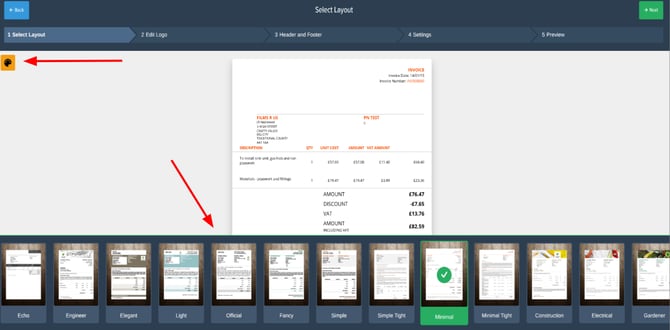
That will open up a side bar where you can change the colour for certain parts of the template such as the font and backgrounds. Along with that you can adjust the font and spacing size depending on which template you select to use.
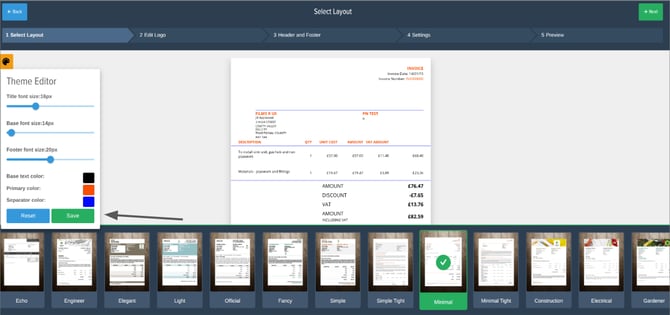
After you've finished, make sure to click the save button on the Theme Editor side bar to save the adjustments you made.
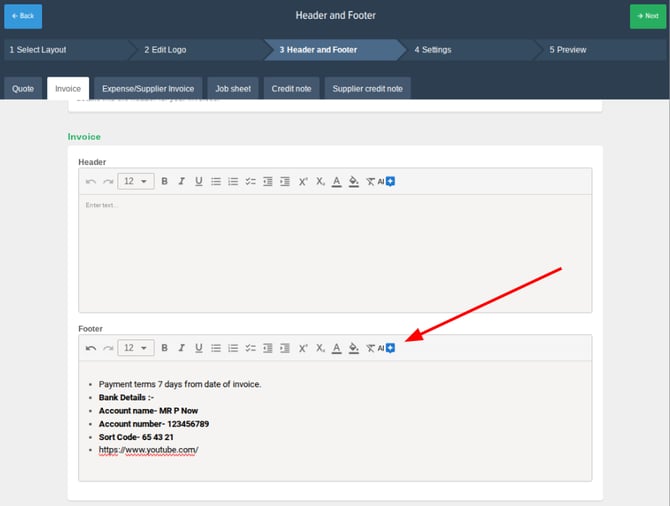
After customising the colour theme of any template, this will take you to the header and footer stage for your different document types. In here you can change the font size and colour of the text and use AI to pre-populate a professional header and footer for all of your documents.